Split Tunnel now available in IVPN for macOS
Releases By Viktor Vecsei | Posted on October 20, 2026
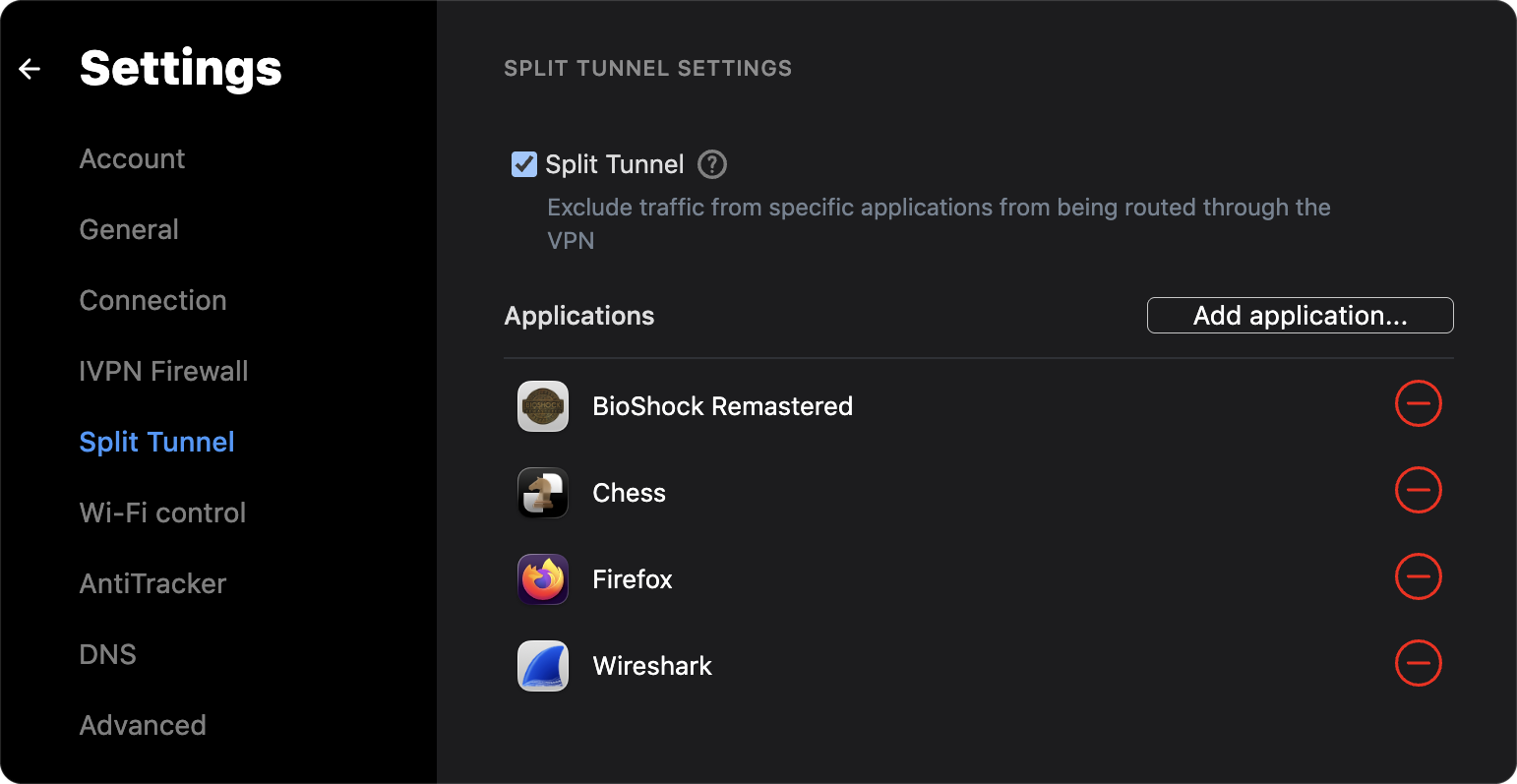
IVPN for macOS v3.16.1 adds Split Tunnel: you can now exclude selected applications from the VPN, while everything else on your Mac stays in the tunnel.
Split Tunnel has been available in our Windows, Linux and Android apps for some time, and macOS was the remaining gap. This release brings our macOS app in line with the rest.
How it works on macOS
The macOS version is a system extension built on Apple’s Network Extension framework, running as a transparent proxy.
While Split Tunnel is active, macOS passes every new outbound TCP and UDP connection to the extension. Connections from excluded applications are sent out over your physical network interface. All other connections are declined by the extension and follow normal routing, which in this case means the VPN tunnel.
Split Tunnel works with the IVPN Firewall turned on. The firewall lets the extension’s traffic out over the physical interface and keeps every other route around the tunnel blocked.
Setting it up
Split Tunnel requires macOS 12 Monterey or later.
- Update to v3.16.1, in the app or from our macOS download page.
- Go to
Settings>Split Tunneland enableSplit Tunnel. - Approve the IVPN system extension when macOS asks. On macOS 15 and later this is under
System Settings>General>Login Items & Extensions>Network Extensions; on macOS 12 to 14, it is underPrivacy & Security. macOS also asks once to allow IVPN to add proxy configurations. - Click
Add application...and select the apps to exclude.
Split Tunnel can also be managed from the command line with ivpn splittun.
What to expect
- Only new connections are excluded. Connections an app already has open keep their route until the app closes them or is restarted.
- Programs started by an excluded app, such as commands run from an excluded terminal, are excluded too. Apps it opens through Finder, login items or the
opencommand are not. - Exclusion applies to outgoing TCP and UDP connections only. DNS lookups made by macOS system services on behalf of an app use the VPN. Raw-socket traffic, such as
ping, always uses the VPN. - Every settings change briefly interrupts the open connections of excluded apps while Split Tunnel restarts.
- Inverse mode, where only selected apps use the VPN, is not yet available on macOS. It remains available on Windows and Linux.
Note: Using Split Tunnel to exclude applications results in an intentional leak. Your ISP, and anyone else observing your network, can see where excluded apps connect. Our Split Tunnel uses and limitations article covers the trade-offs in more detail.
If something doesn’t work as expected, contact us with your macOS version and the apps involved.
IVPN Staff

Suggest an edit on GitHub.